Switch Statement
Think about calling a customer care number:
"Press 1 for balance enquiry. Press 2 for recharge. Press 3 to talk to an agent."
Based on the one number you press, the system takes you to the right option.
In the last lesson, we learned if...else if...else. We could write this menu with it:
It works, but we keep repeating choice === ... again and again. When one value is compared with many fixed options, JavaScript gives us a cleaner tool: the switch statement.
What Is a Switch Statement?
A switch statement checks one value against many possible matches (called cases), and runs the code of the case that matches.
Syntax
switch (expression) {
  case value1:
    // runs if expression === value1
    break;

  case value2:
    // runs if expression === value2
    break;

  default:
    // runs if nothing matches
}
The parts:
| Part | Meaning |
|---|---|
switch (expression) | The value you want to check |
case value: | One possible match |
break | Stops the switch and jumps out |
default: | Runs when no case matches (like else) |
A Simple Example
Let us rewrite the customer care menu using switch:
Output:
Recharge
How it works, step by step:
- JavaScript takes the value of
choice, which is2. - It checks
case 1. No match, so it moves on. - It checks
case 2. It matches! ✅ It runsconsole.log("Recharge"). - It sees
breakand exits the switch.
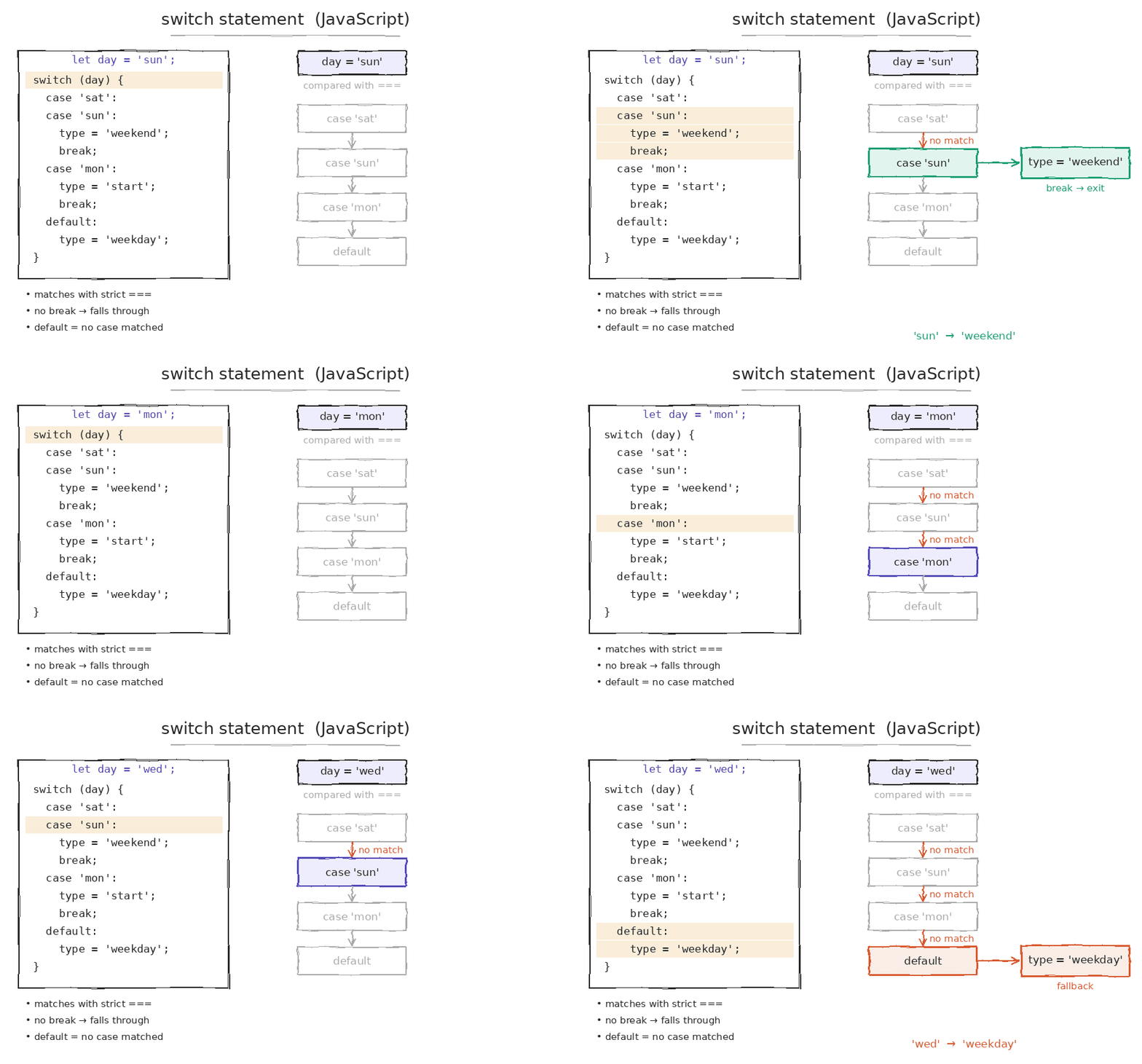
Another Example: Day of the Week
Why Is break So Important?
break tells JavaScript: "Work is done, exit the switch now."
If you forget break, JavaScript does not stop. It keeps running all the cases below it, even if they don't match! This is called fall-through.
❌ Without break:
😮 It matched "yellow", but it also ran "green" and default!
Think of it like falling down a staircase. Once you slip at one step, you keep rolling down until something stops you. break is that railing.
✅ With break:
Rule: Always add
breakat the end of every case, unless you want fall-through on purpose.
Using Fall-Through on Purpose: Grouping Cases
Sometimes many values should give the same result. You can stack cases together without break between them.
Example: weekday or weekend
Example: seasons in India
This is much shorter than writing month === "June" || month === "July" || ... in an if statement.
The default Case
default runs when no case matches. It works just like the final else.
Key points:
defaultis optional, but it is good practice to always include it.- It is usually written at the end, so it doesn't need a
break. - If you write
defaultin the middle, add abreakafter it to avoid fall-through.
Switch Uses Strict Comparison (===)
switch compares values using ===, so both the value and the type must match.
"1" (string) is not equal to 1 (number) with ===.
Fix: Convert the value first, using what you learned in Type Casting:
switch (Number(input)) {
  case 1:
    console.log("You pressed one");   // ✅ now it matches
    break;
}
Checking Ranges with switch (true)
A normal switch checks exact values, not ranges like marks >= 90. But there is a trick: use switch (true), and write a condition in each case.
JavaScript finds the first case that is true.
Note: This works, but for ranges,
if...else ifis usually easier to read. Useswitchmainly for exact values.
Declaring Variables Inside Cases
All cases share the same block { }. So declaring the same variable name in two cases gives an error:
switch (choice) {
  case 1:
    let message = "One";     // ❌
    break;
  case 2:
    let message = "Two";     // ❌ SyntaxError: already declared
    break;
}
Fix: Wrap each case in its own curly braces:
switch (choice) {
  case 1: {
    let message = "One";   ✅
    console.log(message);
    break;
  }
  case 2: {
    let message = "Two";   ✅
    console.log(message);
    break;
  }
}
Switch vs If-Else: When to Use Which?
| Situation | Better choice |
|---|---|
| One value compared with many fixed options | ✅ switch |
Checking ranges (marks > 90) | ✅ if...else |
| Multiple different variables in conditions | ✅ if...else |
Complex conditions with &&, || | ✅ if...else |
| Many values giving the same result | ✅ switch (grouped cases) |
Simple way to remember:
- Menu-style choices (1, 2, 3 or "red", "green") →
switch - Questions with conditions (is it greater than? is it between?) →
if...else
Common Mistakes to Avoid
| Mistake | Problem | Fix |
|---|---|---|
Forgetting break | Code falls through to the next cases | Add break to every case |
Type mismatch ("1" vs 1) | Case never matches | Convert with Number() or String() |
Using ranges directly (case > 90) | ❌ SyntaxError | Use switch (true) or if...else |
Same let name in two cases | ❌ SyntaxError | Wrap each case in { } |
Missing default | Unexpected values are silently ignored | Always add a default |
Key Takeaways
- A switch statement compares one value with many cases and runs the one that matches.
- Always use
breakto exit after a match, otherwise the code falls through to the next cases. - Group cases together when many values should give the same result.
switchuses strict comparison (===), so the value and the type must both match.- Use
switchfor fixed, menu-style choices, andif...elsefor ranges and complex conditions.